

Duplicate songs can quickly clutter even the most organized music library, wasting storage space and making playlists difficult to manage. Fortunately, modern tools make it easy to find duplicate songs by title, artist, album, and genre, as well as detect similar audio files with different names or formats. This guide explores the most effective methods to identify duplicate songs accurately, organize large music collections, and keep your audio library clean and optimized.
Table of Contents
- The Problem with Duplicate Songs
- Method 1: iTunes/Music App Duplicate Detection
- Method 2: Manual Tag Comparison
- Method 3: Using Duplicate File Finder Tools
- Method 4: Using Audio Dedupe
- Comparison of Methods
- Best Practices and Common Mistakes to Avoid
- Real-World Example
- Workflow for Large Libraries (100,000+ Tracks)
- Frequently Asked Questions
- Conclusion: Most Effective Way to Find Duplicate Songs
The Problem with Duplicate Songs
Duplicate songs can arise from various sources: importing the same album multiple times, different versions of a song, or inconsistent tagging. They take up unnecessary storage, complicate syncing across devices, and make playlist management challenging. Even minor differences in filenames, tags, or genre labels can prevent basic detection methods from identifying them.
Utilities like File Sizes and Folder Size can help visualize folder contents and highlight storage-heavy areas. For more advanced library mapping, MindGems Disk Space Analyzer and Folder Sizes Explorer allow detailed drive analysis to locate duplicates and optimize storage efficiently.
Method 1: iTunes/Music App Duplicate Detection
iTunes and the Music App offer built-in duplicate detection for smaller to medium libraries.
Steps:
- Open iTunes or Music App and switch to the Songs view.
- Select “Show Duplicate Items” or “Show Exact Duplicate Items.”
- Review the list and delete or consolidate duplicates as needed.
Limitations:
- Only detects exact matches; minor tag or genre variations may be missed.
- Manual review is necessary for accuracy.
- Large libraries across multiple drives may be partially unsupported.

More info: Apple Support.
Method 2: Manual Tag Comparison
Manual tag comparison involves reviewing metadata such as Title, Artist, Album, and Genre. While effective for small collections, it becomes impractical for large libraries.
Steps:
- Open a music folder or tag editor like MP3Tag.
- Sort songs by Title, Artist, Album, or Genre.
- Inspect duplicates visually and correct inconsistencies.
- Move, rename, or delete redundant files carefully.
Limitations:
- Time-consuming for libraries with thousands of tracks.
- Depends on accurate tagging; errors may result in missed duplicates.
- No audio analysis; tracks with mismatched tags or genre labels may be overlooked.
More info: Wikipedia Music Management.
Method 3: Using Duplicate File Finder Tools
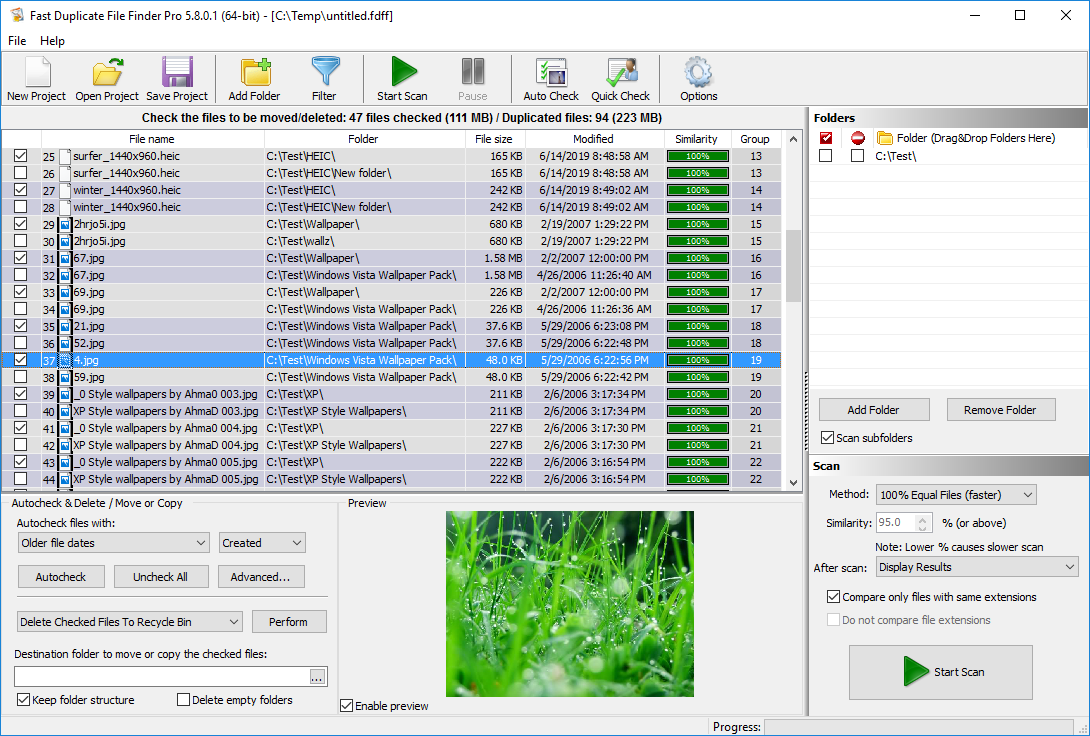
Third-party duplicate file finders provide automated solutions based on file name, size, and sometimes content, reducing manual effort significantly.
- dupeGuru – Free and open-source. dupeGuru
- Duplicate File Finder by MindGems – Scans music and general files. MindGems Duplicate Finder
- Duplicate Image Finder – Detects album art duplicates. Duplicate Image Finder
- Duplicate Photo Finder – Manages artwork duplicates. Duplicate Photo Finder
- Duplicate Finders – Comprehensive detection. Duplicate-Finders.com
- Find Duplicates – Multi-drive scanning. Find-Duplicates.com
Guide: How-To Geek.
Method 4: Using Audio Dedupe
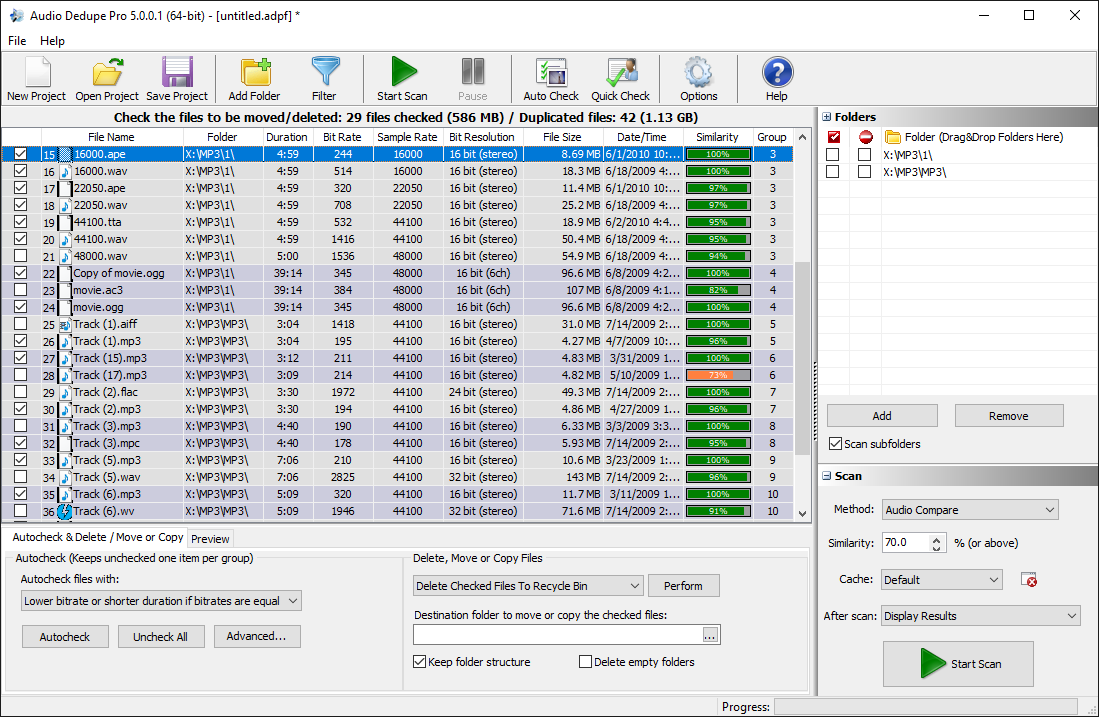
Audio Dedupe is a professional tool using audio content analysis to detect duplicates even with mismatched tags, genre labels, or filenames, making it ideal for large libraries. It also combines audio fingerprinting with metadata analysis to catch near-duplicates caused by remastered versions, live performances, or format conversions.
Key Features:
- Audio-based duplicate detection.
- Tag filtering and rules.
- Similar Genre matching – finds duplicate songs even when Genre tags differ between copies (for example, one file tagged “Rock” and another copy of the same track tagged “Classic Rock” or left blank).
- Batch scans across multiple folders and drives.
- Preview tracks before removal.
- Supports MP3, WAV, FLAC, AAC, OGG, WMA, ALAC, APE, TTA, MPC.
- Auto-selection for easy removal.
Genre tags are often inconsistent between duplicate copies of the same song – one file might be tagged “Rock” while another copy of the same track is tagged “Classic Rock” or left blank entirely. Audio Dedupe accounts for this by matching on Title, Artist, and Album together with audio content analysis, so a mismatched or missing Genre tag doesn’t cause a true duplicate to be missed.
Steps:
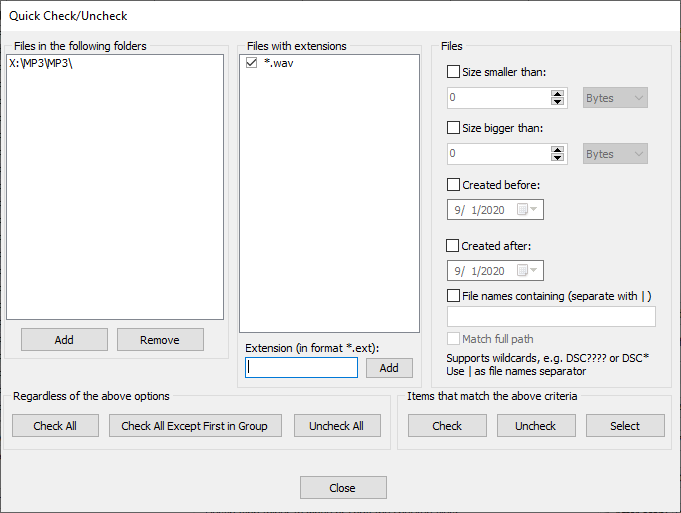
- Add relevant folders.
- Set criteria and similarity thresholds, including Genre matching if needed.
- Scan using audio analysis.
- Preview results.
- Auto-mark or manually select duplicates.
- Delete or move duplicates safely.
Expert reviews: Best Duplicate Music Finders, Duplicate Audio Finder.
Comparison of Methods
Manual vs. automated methods have trade-offs. iTunes is simple but limited, manual tag checking is accurate but time-consuming, duplicate file finders are fast but may miss subtle audio differences, and Audio Dedupe offers the most comprehensive detection across metadata, genre, and audio content.
Best Practices and Common Mistakes to Avoid
- Always back up your library before deletion.
- Use consistent tagging standards, including Genre.
- Periodically run scans to catch newly added duplicates.
- Leverage visualization tools like Folder Size and File Sizes to spot storage anomalies.
- Avoid relying solely on filenames – they’re one of the least reliable ways to spot true duplicates.
- Don’t ignore album artwork duplicates alongside audio duplicates.
Real-World Example
In one large library cleanup, a 50,000-track collection scattered across five drives contained several thousand duplicate songs, many with mismatched Genre and Artist tags. Using Audio Dedupe’s audio content analysis rather than relying on tags alone, the vast majority of duplicates were correctly identified and removed, reclaiming significant storage space and restoring playlist consistency.
Workflow for Large Libraries (100,000+ Tracks)
For libraries with over 100,000 tracks, a multi-step workflow is optimal:
- Run an initial scan using Audio Dedupe for audio-based duplicates, including Genre mismatches.
- Use Duplicate File Finder and Duplicate Image Finder for file-level and artwork duplicates.
- Review results and auto-mark redundant files.
- Move duplicates to a temporary folder instead of permanent deletion for safety.
- Update playlists and library indexes.
- Schedule monthly scans to maintain a duplicate-free library.
Frequently Asked Questions
Can I find duplicate songs without software?
Does Audio Dedupe modify my original files?
Can Audio Dedupe find duplicates even if the Genre tags don’t match?
What audio formats are supported?
Conclusion: Most Effective Way to Find Duplicate Songs
While manual methods and iTunes offer basic duplicate detection, large libraries require professional tools. Audio Dedupe provides the most reliable and comprehensive solution, detecting duplicates through audio fingerprinting, tag, and Genre analysis, integrating batch processing, and streamlining playlist optimization. Combined with visualization tools like Folder Sizes Explorer and MindGems Disk Space Analyzer, users can reclaim storage, maintain organization, and enjoy a clutter-free music experience.