
Screen Capture And Annotate - About
Print Sceen In Seconds. Make Scren Captures And Add Annotations Quickly
 About
About Features
 Download
 Register (buy)
 Screen Shots
 What's New?
 Awards
 Tutorials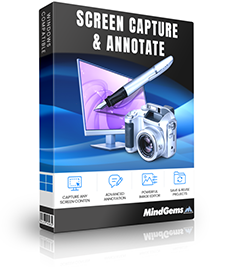
Screen Capture And Annotate will capture and annotate any part of the screen.
Capture full screen, window, region, menu, control, scrolling window or color. Easily create descriptive and stylish captures by editing the captured images and also adding text balloons (callouts), arrows and other objects.
Edit your screenshots by cropping, resizing, painting, drawing shapes, filling with colors, different image effects, transparency, shadows and many more.
You have the power of image processing software and a screen capture utility in a single lightweight product. It will help you to create dazzling captures with as little effort as possible and save them in all known popular image formats.
Screen Capture & Annotate Features
Screen Capture And Annotate is a powerful utility for creating and editing screen captures. It has the following features:
- Multiple capture options
- Full Screen
- Active Window
- Active Window Without Borders
- Rectangle - allows you to select rectangular part of the screen using the mouse
- Window or Control - will let you capture a certain part of the application - button, toolbar, system tray etc.
- Scrolling Window - will capture the entire area of a scrollable window by automatically scrolling
- Color - will capture any color on the screen setting it as foreground color and copying its value in the clipboard
- Resize Windows - set precise window size in pixels wiht the press of a hotkey
- Add text annotations with different styles - balloons, rectangles etc.
- Add arrows to point certain parts of the capture or bidirectional arrow to denote relation between different items.
- Highlight - easy way to put highlight regions over the captured images. Similar to using highlight marker.
- Different shapes - ellipse, rectangle, free hand polygons etc.
- Rotate and scale captured images.
- Combine multiple captures in a single image.
- Insert an external image (logo, previously captured image, picture etc.) in the current capture project.
- Supports many image file formats
- Load/Save of capture project that will allow you to edit or extend a previously captured project.
- Lifetime License!
Supported file formats:
- JPEG Bitmap (*.jpg;*.jpeg;*.jpe)
- Compuserve Bitmap (*.gif)
- Portable Network Graphics (*.png)
- TIFF Bitmap (*.tif;*.tiff;*.fax;*.g3n;*.g3f)
- JPEG2000 Files (*.jp2)
- JPEG2000 Code Stream (*.j2k;*.jpc;*.j2c)
- Targa (*.tga;*.targa;*.vda;*.icb;*.vst;*.pix)
- Paintbrush (*.pcx)
- Windows Bitmap (*.bmp;*.dib;*.rle)
- Windows Metafile (*.wmf)
- Enhanced Windows Metafile (*.emf)
- Windows Icon (*.ico)
- Windows Cursor (*.cur)
- Wireless Bitmap (*.wbmp)
- Portable Pixmap (*.pxm;*.ppm)
- Adobe Photoshop (*.psd)
Screen Capture & Annotate System Requirements
- Operating system: Windows 11 / Windows 10 / Windows 8.1 / Windows 8 / Windows 7 / All Windows Server operating systems newer than Windows Server 2008
- CPU: Pentium-133 MHz or higher
- 64 MB RAM
- 2 MB free hard disk space
- True Color display and video card
- Mouse or other pointing device