


Searching for the best duplicate song finder in 2026? We rigorously tested leading duplicate audio detection tools using a music library of more than 20,000 audio files, evaluating detection accuracy, scan speed, format support, safety features, and overall value. With over 25 years of experience in software development and file management solutions, we understand what separates truly effective tools from the rest. This guide highlights the best options for every type of music collection, from small personal libraries to large professional archives.
- Quick Summary: Our Top Picks at a Glance
- Why Trust Our Duplicate Song Finder Reviews?
- Our Testing Methodology for Duplicate Song Finder Software
- Full Reviews of the Best Duplicate Song Finder Tools
- Full Comparison Table: All Duplicate Song Finder Tools
- How to Choose the Right Duplicate Song Finder
- How to Safely Remove Duplicate Songs
- Frequently Asked Questions About Duplicate Song Finder Software
- Final Verdict: Best Duplicate Song Finder Software for Windows
Quick Summary: Our Top Picks at a Glance
Before we explore the detailed reviews, take a look at our top picks in one simple table. We tested each tool extensively on real-world music libraries containing thousands of audio files in MP3, FLAC, AAC, WAV, OGG, WMA, APE, and other popular formats. Our evaluations focused on accuracy, speed, reliability, safety, features, and overall usability.
This quick summary helps you see which tools stand out at a glance. You can compare performance, supported platforms, pricing, and ease of use without reading every review first. It’s designed to guide you quickly to the software that fits your needs, whether you want professional-grade audio fingerprinting or a lightweight solution for basic duplicate cleanup.
All tools listed in the table offer unique advantages:
- Audio Dedupe Duplicate Song Finder – The most accurate and powerful solution for large music libraries with advanced audio fingerprinting and metadata analysis.
- Fast Duplicate File Finder – A free and fast general-purpose duplicate cleaner for any file type, useful for basic music cleanup.
- Duplicate Songs Finder – Optimized for fast scanning with multithreading and caching for efficient duplicate detection.
- Spotify Dedup – A lightweight online tool designed specifically for removing duplicate tracks from Spotify playlists.
Use this summary as your first guide before diving into our detailed testing and full reviews of each tool. It saves time and helps you immediately identify which software matches your needs.
| # | Software | Best For | Platform | Price | Rating |
|---|---|---|---|---|---|
| 1 | Audio Dedupe Duplicate Song Finder | Best overall accuracy, performance, and large library support | Windows | $29,95 lifetime | ★★★★★ |
| 2 | Fast Duplicate File Finder | Fast general duplicate cleanup (not music-specific) | Windows | Free | ★★★★★ |
| 3 | Duplicate Songs Finder | Fast multithreaded scanning and cached audio comparison | Windows | Free / Paid | ★★★★★ |
| 4 | Spotify Dedup | Removing duplicate tracks inside Spotify playlists | Web / Spotify | Free | ★★★☆☆ |
Watch this Duplicate Music Finder tutorial video to learn how to scan large music collections, compare songs using audio fingerprinting, remove duplicate music safely and organize your music library.
🏆 Best Duplicate Song Finder Overall
After testing 10 duplicate song finder tools on a music library containing more than 20,000 audio files,
Audio Dedupe delivered the best combination of accuracy, scan speed, format support,
and large-library performance. Its audio fingerprinting technology consistently identified duplicate and
similar songs even when filenames, metadata, bitrates, or file formats differed.
Why Trust Our Duplicate Song Finder Reviews?
Our team has been developing duplicate file finder software for more than 25 years. During that time, we have analyzed millions of files, refined duplicate detection algorithms, and gained deep insight into the challenges of managing large digital collections. This experience gives us a unique perspective when evaluating duplicate song finder software and separating genuinely useful tools from those that simply make marketing promises.
Instead of relying on feature lists or vendor claims, we perform independent testing using a real-world music library containing more than 20,000 audio files. Our dataset includes a wide range of formats such as MP3, FLAC, AAC, WAV, OGG, WMA, APE, TTA, and others. We intentionally include duplicate songs with different filenames, metadata, bitrates, and formats to determine how effectively each tool identifies matching audio content under realistic conditions.
Every duplicate audio finder is tested using the same methodology and evaluated against the same criteria. We measure detection accuracy, scan speed, supported audio formats, usability, safety features, and overall reliability. We also examine how well each application handles large music collections without excessive resource usage, crashes, or false positives.
Our rankings are not influenced by advertising, sponsorships, or paid placements. A tool earns its position solely through its performance during testing. We also discuss limitations and weaknesses whenever we find them, ensuring that readers receive a balanced and objective assessment.
Whether you are managing a personal music collection, a professional audio archive, or a large lossless library, our goal is to help you find the duplicate music finder that delivers the best combination of accuracy, performance, and safety.
Our Testing Methodology for Duplicate Song Finder Software
We evaluated each duplicate audio finder using a real-world music library containing over 20,000 audio files. The collection included AAC, AC3, AIFF, FLAC, MP3, Musepack, OGG, WAV, WavPack, WMA, APE, and TTA files, covering both lossy and lossless audio formats. To accurately assess duplicate detection capabilities, the dataset contained exact duplicates as well as songs with different filenames, metadata, bitrates, and file formats. Additionally, we tested every music duplicate finder on Windows 11 and the latest available macOS version when supported to verify performance and stability across platforms.
- Accuracy – We evaluated how effectively each audio duplicate finder detected exact duplicate songs and similar audio files, including tracks with different filenames, metadata, bitrates, and formats.
- Speed – We measured the time required for each song duplicate remover to scan the complete 20,000-file music library and generate duplicate detection results.
- Supported Audio Formats – We verified support for AAC Files (*.aac; *.mp4; *.m4a), AC3 Files (*.ac3), Audio IFF Files (*.aif; *.aiff), FLAC Files (*.flac), MPEG Audio Files (*.mp3; *.mp2; *.mp1; *.mpa), Musepack Files (*.mpc), OGG Files (*.ogg), WAVE Files (*.wav), WavPack Files (*.wv), Windows Media Audio Files (*.wma), Monkey’s Audio Files (*.ape), and True Audio Files (*.tta).
- Features – We tested audio fingerprinting technology, similarity matching, metadata analysis, filtering options, duplicate grouping, automatic selection rules, audio preview functions, and file management capabilities.
- Reliability – We monitored stability during large-scale scans and verified that each music deduplication software could process extensive music collections without crashes, freezes, or excessive memory consumption.
- Safety – We examined preview options, duplicate verification workflows, confirmation prompts, backup capabilities, and recovery features to minimize the risk of accidental song deletion.
These metrics helped us build a clear picture of real-world performance. As a result, you will see which duplicate music cleaner tools deliver the highest detection accuracy, fastest scan speeds, broadest audio format support, safest cleanup experience, and most reliable performance when managing large music collections. Many duplicate finders are advertised as duplicate song finders, while they’re not. For a deeper audio fingerprinting accuracy test, please check this article: Top 5 Duplicate Music Finder Tools: Audio Analysis Test.
Full Reviews of the Best Duplicate Song Finder Tools
Below are our in-depth reviews of the best music library cleaner software for Windows and Mac. Each tool was tested on a music library containing more than 20,000 audio files to evaluate duplicate detection accuracy, scan speed, supported audio formats, and ease of use. Whether you need to remove exact duplicate songs or identify tracks with different filenames, metadata, bitrates, or formats, you’ll find a solution that fits your needs.
Some music duplicate finder tools use audio fingerprinting technology to detect matching audio content, while others rely on metadata and file comparisons. Our reviews highlight the strengths and weaknesses of each option so you can choose the best duplicate song finder for your music collection.
If you need to find duplicate files of any type, including documents, videos, and photos, check out our list of the best duplicate file finders. If you want to find duplicate images, then check our list of best duplicate photo finder tools.
1. Audio Dedupe Duplicate Song Finder
Best Duplicate Song Finder
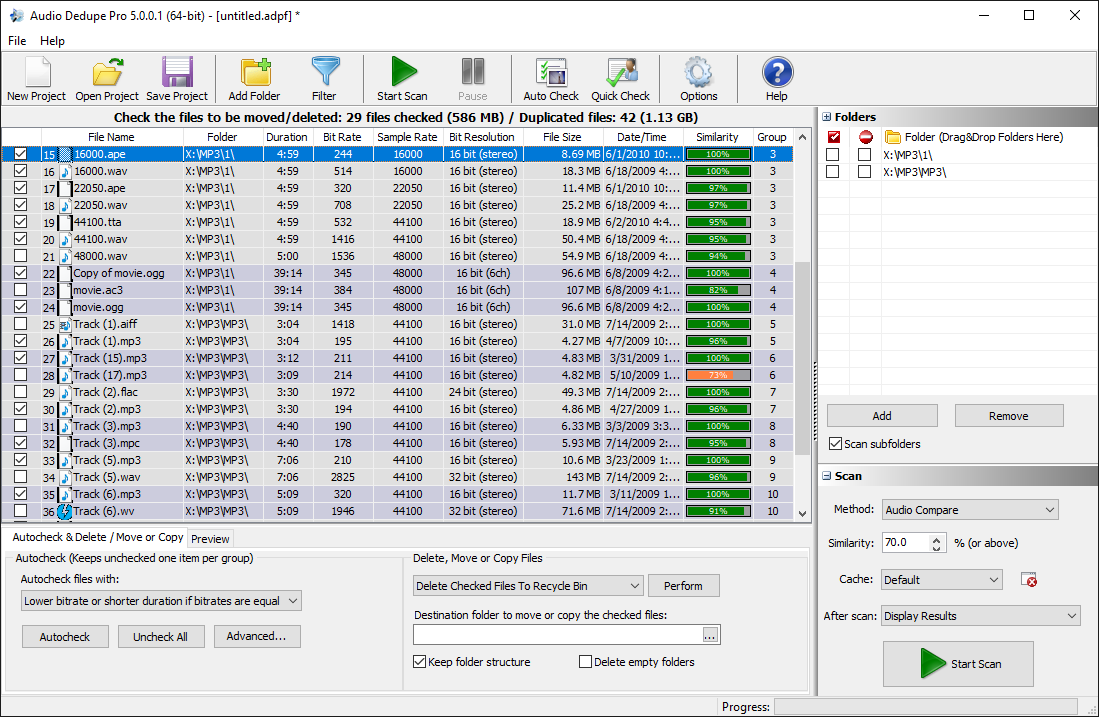
I tested MindGems Audio Dedupe against every other music duplicate finder in this review, and it was the clear winner. It earned our Best Duplicate Song Finder award because it delivered the highest detection accuracy, the fastest performance, and the most complete feature set. During testing, this was the only application that consistently handled very large music collections without slowing down or crashing. While several competing tools struggled with libraries containing only a few hundred audio files, the app processed hundreds of thousands of songs and returned accurate results in a reasonable amount of time.
What separates the tool from other duplicate music cleaners is its audio fingerprinting technology. Instead of relying only on filenames or metadata, it analyzes the actual audio content of songs to identify duplicates and similar tracks. The software can also compare ID3 tags, search by metadata, and use customizable similarity levels for different scanning scenarios. During testing, it successfully detected duplicate songs stored in different formats, filenames, and bitrates. I was also impressed by the extensive format support, which includes MP3, FLAC, AAC, WAV, OGG, WMA, APE, TTA, and many others.
The software also offers features that many competing tools simply lack, including built-in audio playback, continuous previewing while browsing results, advanced filtering options, and automatic selection of the highest-quality versions based on bitrate or file size. After more than a decade of active development, the software feels mature, stable, and highly optimized for large music libraries. If your goal is to find and remove duplicate songs accurately while maintaining a clean and organized collection, this is the best audio duplicate finder currently available.
Key Features:
- Advanced audio fingerprinting technology that analyzes actual audio content
- Finds both exact duplicate songs and similar audio files
- Metadata and ID3 tag comparison with customizable matching rules
- Supports AAC, AC3, AIFF, FLAC, MP3, MPC, OGG, WAV, WV, WMA, APE, and TTA files
- Built-in audio player with continuous playback while reviewing duplicates
- Automatic selection of higher-quality files based on bitrate and file size
- Customizable similarity levels, filters, and scan methods
- Optimized for very large music collections containing hundreds of thousands of files
Pros
- Most accurate audio duplicate finder in our testing
- Excellent performance on large music libraries
- Detects duplicates even when filenames and formats differ
- Broadest audio format support of any tool reviewed
- Powerful audio fingerprinting and similarity matching
- Built-in audio preview simplifies verification
- Advanced filtering and automation options
- Mature and reliable software with over two decades of development
Cons
- Windows-only application
- Interface prioritizes functionality over modern design
- The large number of features may feel overwhelming for first-time users
Pricing: $29.95 Perpetual license
2. Fast Duplicate File Finder
Best Free Duplicate Music Finder
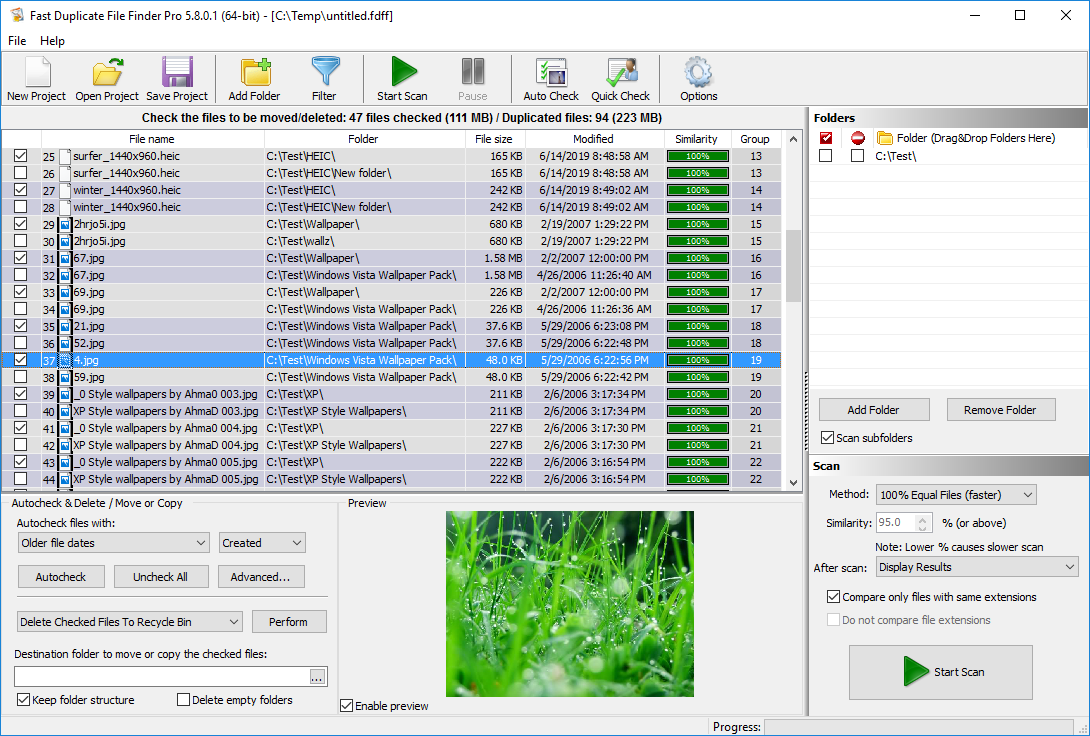
I tested Fast Duplicate File Finder as a song duplicate remover and quickly discovered that it serves a different purpose than dedicated tols for audio. This tool is designed to find duplicate files of any type rather than analyze audio content. As a result, it cannot identify similar songs using audio fingerprinting technology. However, for users looking for a free way to locate exact duplicate music files, it performed very well during testing.
What impressed me most was the scanning speed. Fast Duplicate File Finder handled large folders efficiently and returned results quickly, even when scanning extensive collections. The interface is straightforward, making it easy to review duplicates before deleting them. I also liked its ability to find similar filenames and provide flexible filtering options, which can help when organizing large music libraries.
While it is not a dedicated music deduplication software, Fast Duplicate File Finder remains an excellent free alternative for users who primarily need to locate exact duplicate audio files. If your collection contains duplicate songs with different filenames, formats, or metadata, Audio Dedupe is the better choice. However, for a free duplicate music finder focused on exact matches, Fast Duplicate File Finder delivers excellent value.
Key Features:
- Fast duplicate file detection across all file types
- Finds exact duplicates and files with similar names
- Preview duplicates before deleting or moving files
- Customizable search filters and scan criteria
- Optimized for large drives, storage systems, and file servers
Pros
- Completely free for finding duplicate files
- Very fast scanning performance
- Easy-to-use interface with preview options
- Works with all file types, including audio files
Cons
- Not a dedicated duplicate track finder
- No audio fingerprinting or similar song detection
- Less effective for music libraries than spcialized audio tools
Pricing: Free version available, Pro version from $39.95 Perpetual license
3. Duplicate Songs Finder
Best Duplicate Mp3 Finder
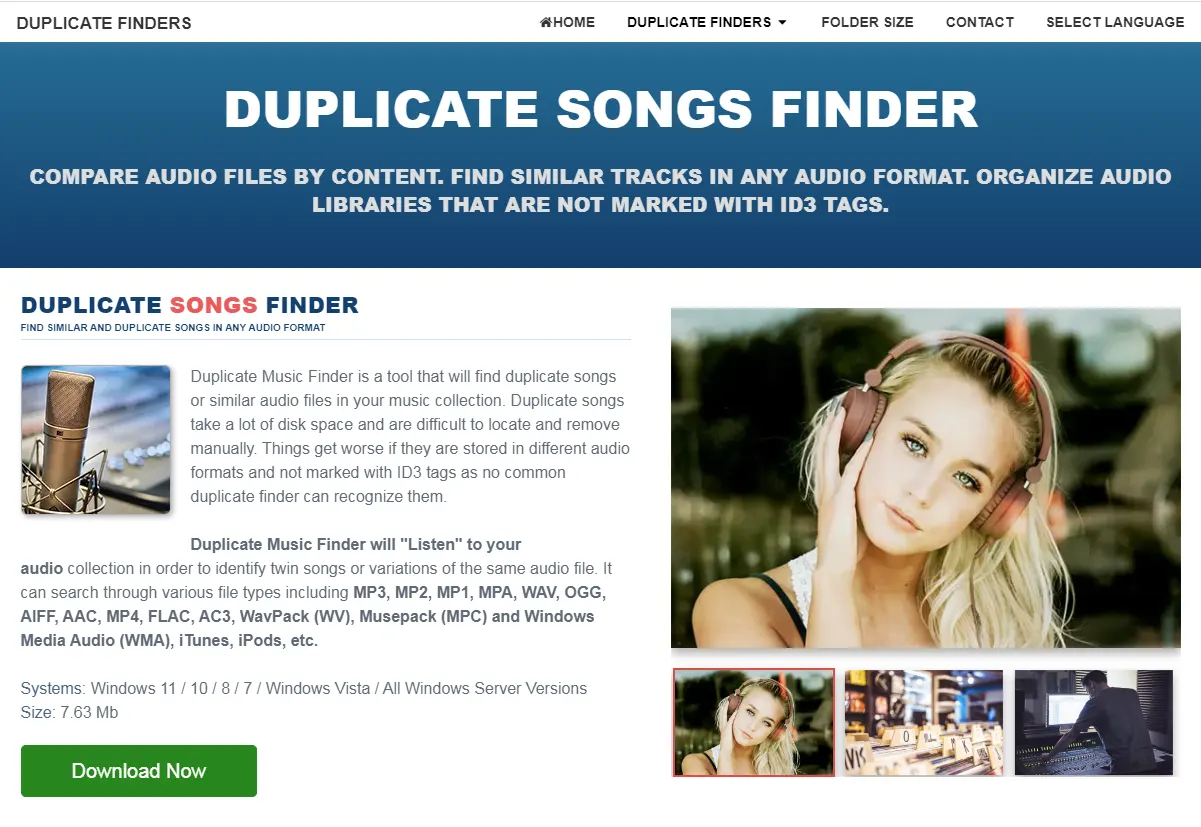
I tested Duplicate Songs Finder on a large music collection and found it to be one of the faster dedicated music duplicate finder tools available. Unlike general-purpose duplicate file cleaners, this software focuses specifically on audio files and uses audio analysis technology to identify duplicate and similar songs. The scanning process was responsive, and the application handled larger music libraries better than many competing tools.
During testing, Duplicate Songs Finder performed particularly well when comparing tracks with different filenames and metadata. The software uses optimized matching algorithms, multithreading, and caching techniques to speed up duplicate detection without sacrificing too much accuracy. It also supports all major audio formats, including MP3, FLAC, AAC, WAV, AIFF, and OGG, making it suitable for most music collections.
While Audio Dedupe remains our top-rated duplicate music cleaner thanks to its superior feature set and scalability, Duplicate Songs Finder is still a solid choice for users who primarily need fast duplicate music detection. Its combination of speed, audio analysis, and broad format support makes it a capable tool for keeping music libraries organized and free of duplicate tracks.
Key Features:
- Dedicated music library cleaner with audio content analysis
- Fast multithreaded scanning optimized for large music libraries
- Detects duplicate and similar songs even with different filenames
- Supports MP3, FLAC, AAC, WAV, AIFF, OGG, and other popular formats
- Caching and indexing technology for faster repeat scans
Pros
- Fast duplicate song detection performance
- Good accuracy when matching similar audio files
- Supports all major music formats
- Designed specifically for music libraries
Cons
- Fewer advanced features than other audio tools
- Interface feels somewhat dated
- Less suitable for extremely large music collections
Pricing: Free trial available
4. Duplicate MP3 Finder
Duplicate Audio Finder
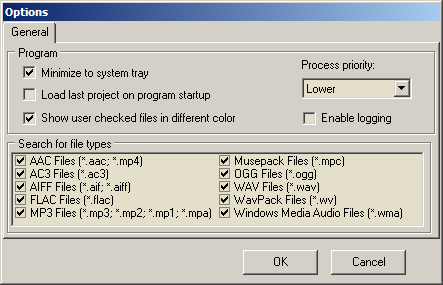
I tested Duplicate MP3 Finder on a mixed music collection containing MP3, FLAC, AAC, WAV, and OGG files. The software focuses on duplicate music detection and offers several useful scan modes, including exact duplicate search, similar song detection, and ID3 tag matching. While it is not as advanced as the top-ranked tools in this review, it delivered acceptable results and was easy to configure.
During testing, the software successfully identified many duplicate songs and provided useful options for reviewing results before deletion. I particularly liked the ability to automatically identify lower-quality versions based on bitrate and move duplicates to a backup location instead of permanently deleting them. However, its detection accuracy and overall performance did not match the leading duplicate MP3 finders on this list.
Duplicate MP3 Finder is a decent choice for users who primarily work with MP3 collections and want a straightforward duplicate music cleaner. It offers a good balance between functionality and simplicity, but users with very large music libraries or those looking for the highest detection accuracy may find better alternatives higher in this ranking.
Key Features:
- Finds exact duplicate songs, similar tracks, and matching ID3 tags
- Supports MP3, FLAC, AAC, WAV, AIFF, and OGG audio formats
- Built-in preview functionality for duplicate verification
- Automatically identifies lower-quality versions based on bitrate
- Option to move duplicates to a backup folder instead of deleting them
Pros
- Multiple duplicate detection methods available
- Useful backup and file management options
- Supports all major audio formats
- Simple interface that is easy to learn
Cons
- Detection accuracy is average compared to top-ranked tools
- Performance slows down on larger music libraries
- Feature set is more limited than other tools
Pricing: Free trial available
5. Duplicate Music Files Finder
Duplicate Music Files Remover Settings
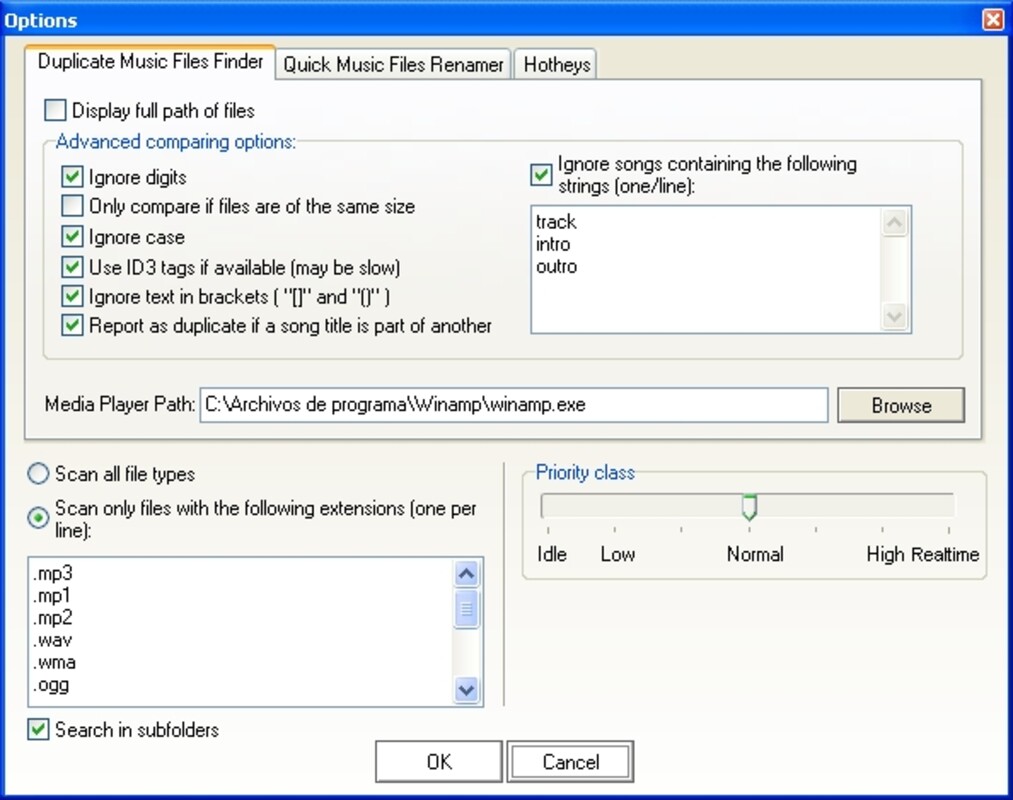
I tested Duplicate Music Files Finder (DMFF) on a collection containing MP3, OGG, WMA, and APE files. The software takes a different approach than most audio duplicate finders by relying heavily on metadata, file properties, and tag analysis rather than advanced audio fingerprinting. During testing, it was able to locate many duplicate music files quickly, especially in well-organized libraries with accurate tags.
One feature I found useful was the built-in tag renaming functionality, which can help clean up poorly organized music collections. The software also supports multiple duplicate detection methods, including CRC matching and filename comparisons. However, the interface feels outdated by modern standards, and the lack of ongoing development is noticeable when compared to newer song duplicate remover tools.
Best Duplicate Music File Finder
Duplicate Music Files Finder remains a usable option for managing older music collections, particularly when metadata is well maintained. However, because the software is no longer actively developed, it falls behind the higher-ranked tools in terms of accuracy, format support, and long-term reliability. Most users will likely find better alternatives elsewhere on this list.
Key Features:
- Duplicate music detection based on tags, filenames, and file properties
- Built-in music tag renaming module
- Supports MP3, OGG, WMA, APE, MPC, and additional formats
- Multiple scan methods including CRC and exact filename matching
- Simple duplicate removal and file management tools
Pros
- Fast scanning of well-organized music libraries
- Useful tag renaming functionality
- Supports several duplicate detection methods
- Easy to review and remove duplicate files
Cons
- No longer actively developed or maintained
- Relies heavily on metadata instead of audio analysis
- Outdated interface and feature set
Pricing: Free
6. Similarity
Similarity App Duplicate Song Cleaner
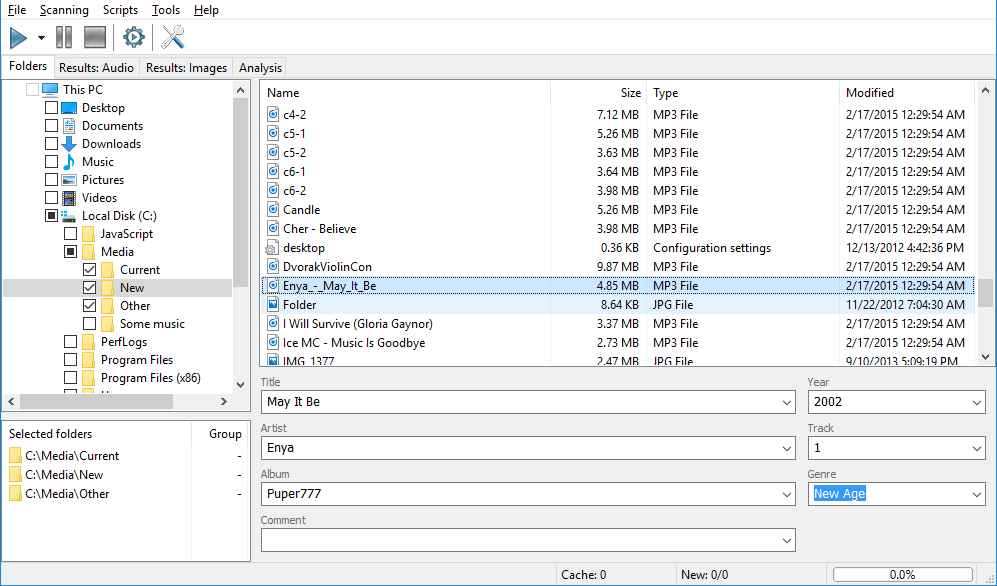
I tested Similarity as a music deduplication software on a mixed music collection containing MP3, FLAC, AAC, and WAV files. The software uses acoustic fingerprinting technology and is designed to identify duplicate and similar songs based on audio content rather than filenames alone. While this sounds promising on paper, the results during testing were inconsistent compared to the higher-ranked tools in this review.
Similarity was generally fast at scanning music libraries and includes several advanced features such as quality analysis, a spectrum analyzer, and tag editing tools. However, I found that the duplicate matching accuracy was only average. The software occasionally grouped unrelated tracks together while also missing some obvious matches. In addition, the interface feels dated, and the lack of recent development raises concerns about long-term compatibility and support.
Overall, Similarity remains a usable duplicate music finder for smaller collections, but it no longer competes with the best duplicate track finder tools available today. Users looking for the highest accuracy and ongoing development will find stronger alternatives elsewhere on this list.
Key Features:
- Acoustic fingerprinting for duplicate and similar song detection
- Audio quality analysis based on bitrate and technical parameters
- Built-in spectrum analyzer and tag editor
- Supports a wide range of popular audio formats
- Fast scanning engine for music collections
Pros
- Uses audio content analysis instead of filenames alone
- Includes several advanced audio management tools
- Fast scanning performance
- Supports most common music formats
Cons
- Average duplicate detection accuracy in our testing
- No longer actively maintained or regularly updated
- Interface feels outdated compared to modern alternatives
Pricing: $19.95 per year
7. Rinse Duplicate Songs
Rinse Duplicate Songs Deleter
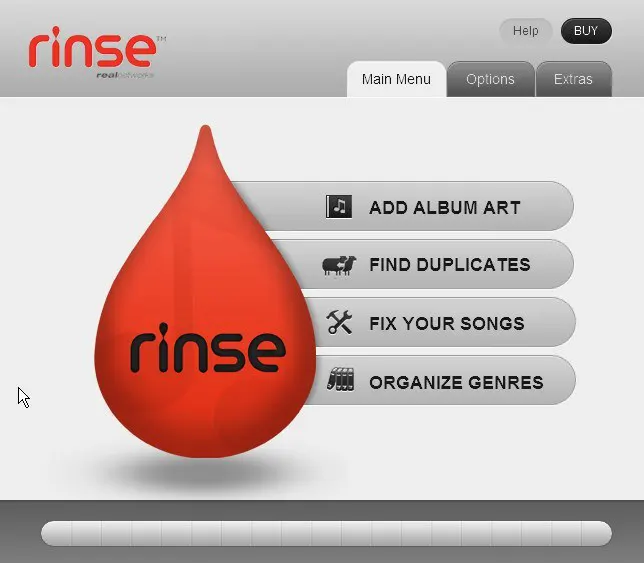
I tested Rinse Duplicate Songs as a audio deduplication software focused specifically on iTunes libraries. The software integrates directly with iTunes, which makes it easy to scan and manage duplicate tracks without complex setup. During testing, it performed reasonably well for basic duplicate detection tasks, especially in well-organized music libraries with consistent metadata.
The biggest strength of Rinse Duplicate Songs is its simplicity and tight iTunes integration. The tool automatically scans the music library, flags duplicate songs inside iTunes, and allows users to review and choose which versions to keep. It also includes a smart selection system that can prioritize higher-quality versions based on bitrate or song length. However, its capabilities are limited compared to more advanced audio similarity finder tools, particularly when dealing with non-iTunes libraries or poorly tagged music collections.
Overall, Rinse Duplicate Songs is best suited for users who still rely heavily on iTunes and want a lightweight duplicate music cleanup tool. While it is easy to use and convenient for Apple ecosystems, it lacks the depth, flexibility, and accuracy of more modern similar song finder solutions.
Key Features:
- Automatic iTunes library integration
- Smart duplicate detection based on metadata and song attributes
- Option to keep highest quality version by bitrate or length
- Flagging system for easy review inside iTunes
- Option to move duplicates to a temporary safety folder
Pros
- Seamless integration with iTunes libraries
- Simple and beginner-friendly interface
- Safe duplicate review workflow
- Useful automatic selection options
Cons
- Limited to iTunes-based music libraries
- Lacks advanced audio fingerprinting
- Less effective for large or messy music collections
Pricing: Paid (Apple App Store)
8. Spotify Dedup

Spotify Dedup – Duplicate Song Finder
I tested Spotify Dedup as a duplicate audio detection software for Spotify playlists rather than a traditional music library tool. Unlike desktop-based audio matching softwares, this tool works entirely online and only targets Spotify data. It does not scan local files or detect duplicates across a full music collection, which immediately limits its use case compared to more complete solutions.
During testing, Spotify Dedup successfully identified duplicate tracks inside playlists based on Spotify’s track ID system. The process was fast and simple, and removing duplicates required only a few clicks. However, it is important to note that it only works within Spotify playlists and cannot analyze audio content, metadata, or local music files. As a result, its functionality is very narrow compared to dedicated music similarity finder tools.
Overall, Spotify Dedup is useful if your only problem is duplicate tracks inside Spotify playlists. However, for users looking for a real audio duplicate detection tool that can clean and organize a full music library across multiple formats, this tool is too limited to be a serious solution. It got a 3-star rating because it is a niche tool dedicated to Spotify only.
Key Features:
- Detects duplicate songs in Spotify playlists
- Uses Spotify track ID for accurate matching
- Web-based tool with no installation required
- Quick removal of duplicate playlist entries
- Simple login-based workflow
Pros
- Very easy to use with Spotify account login
- Fast detection of duplicate playlist tracks
- No software installation required
- Safe removal with confirmation steps
Cons
- Only works with Spotify playlists
- No support for local music files or libraries
- No audio fingerprinting or metadata analysis
Pricing: Free
9. MP3 Duplicate Finder
I tested MP3 Duplicate Finder as part of this music deduplication tool review, and it immediately stood out as a completely different type of tool. Unlike standard duplicate music software, this is a Perl-based script that relies on MD5 hashing of audio content rather than user-friendly scanning interfaces or modern audio fingerprinting systems. It is clearly designed for advanced users rather than everyday music library cleanup.
During testing, the script was able to identify duplicate audio files by comparing generated hashes between two directory trees. While this approach can be effective for exact matches, it lacks flexibility when dealing with real-world music collections where files may differ slightly in encoding, bitrate, or metadata. The workflow also requires manual setup and command-line execution, which makes it significantly less accessible than standard music similarity finder applications.
Overall, MP3 Duplicate Finder is more of a technical utility than a practical song similarity detector. It may be useful for developers or advanced users managing controlled music archives, but it is not suitable for general users looking to clean or organize a music library. Its limitations in usability, compatibility, and detection flexibility place it at the lower end of this ranking.
Key Features:
- MD5 hash-based duplicate detection from audio content
- Compares files between two directory trees
- Logs duplicate results to output files
- Works without relying on filenames or metadata
- Script-based workflow for advanced users
Pros
- Accurate detection of exact duplicate audio files
- Does not rely on tags or filenames
- Lightweight script-based approach
- Flexible for technical users and custom workflows
Cons
- Not user-friendly and requires technical knowledge
- No graphical interface or modern music organization software features
- Limited compatibility (Unix-based environments)
- Cannot handle variations in audio encoding or quality
Pricing: Free (open-source script)
10. 4DDiG Duplicate File Deleter by Tenorshare
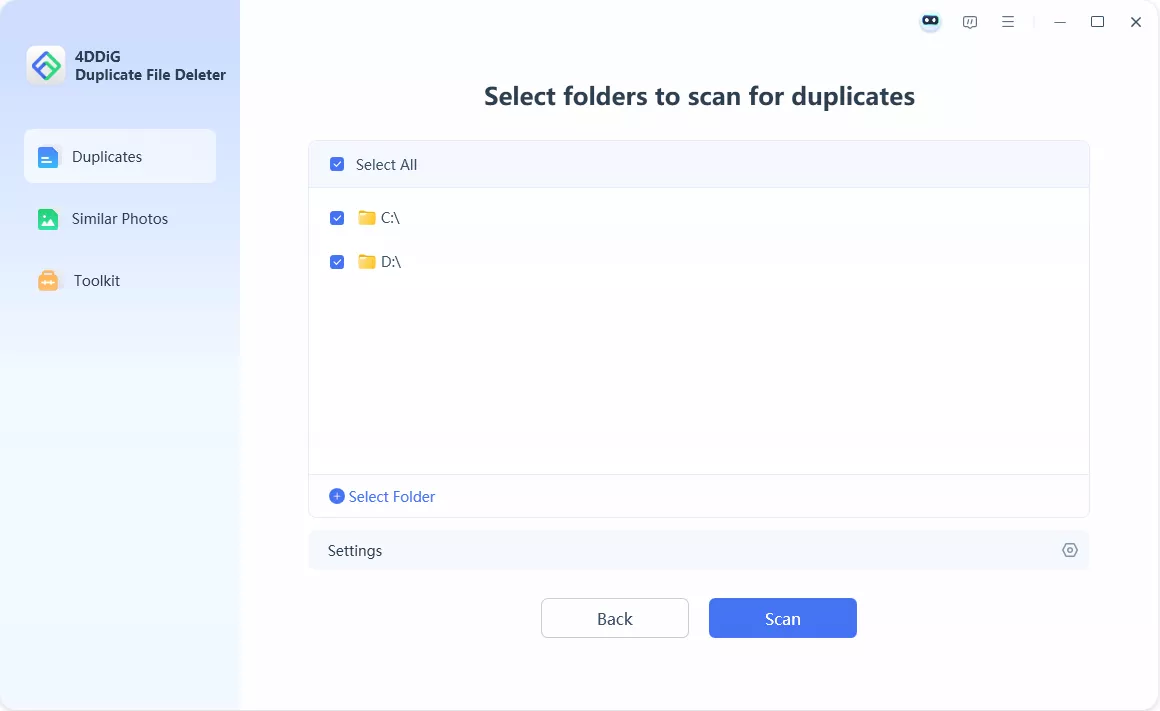
Tenorshare Duplicate Finder
I tested 4DDiG Duplicate File Deleter by Tenorshare as part of this song duplicate remover and duplicate file tools comparison, and it quickly became clear that it is not suitable for music library management. While it is marketed as a fast and intelligent duplicate cleaner, in practice it functions as a very basic file comparison utility with no real support for duplicate song detection or audio analysis.
During testing, scan performance was noticeably slow compared to other tools in this review, even on a moderate-sized folder. The software relies on simple checksum-based detection, which is adequate for exact file matching but far behind modern byte-level comparison engines and completely unsuitable for identifying similar or duplicate songs. For music collections, this means it cannot detect variations in audio files, different encodes, or metadata-based duplicates.
Overall, 4DDiG Duplicate File Deleter is not a viable duplicate song finder and offers very poor value compared to both free and one-time-purchase alternatives. It lacks advanced scan modes, audio fingerprinting, customization options, and any meaningful tools for managing large media libraries. For users looking to clean music collections, there are significantly better and more affordable solutions available.
Key Features:
- Basic duplicate file detection using checksum comparison
- Simple folder-based scanning workflow
- Modern but minimal user interface
- One-click scan and delete process
- General file cleanup for non-audio data
Pros
- Easy to install and use
- Clean and simple interface
- Quick setup with minimal configuration
- Works for basic duplicate file cleanup
Cons
- No duplicate music detector capabilities or audio fingerprinting
- Slow scanning performance compared to competitors
- Very limited customization and scan options
- Expensive subscription model for a basic tool
Pricing: $24.95/month subscription
Full Comparison Table: All 10 Duplicate Song Finder Tools
| # | Software | Best For | Platform | Price | Rating |
|---|---|---|---|---|---|
| 1 | Audio Dedupe Duplicate Song Finder | Best overall accuracy, performance, and large library support | Windows | $29.95 lifetime license | ★★★★★ |
| 2 | Fast Duplicate File Finder | Free duplicate cleanup for any file type (not music-specific) | Windows | Free | ★★★★★ |
| 3 | Duplicate Songs Finder | Fast scanning with caching and multithreaded audio comparison | Windows | Free / Paid | ★★★★★ |
| 4 | Duplicate MP3 Finder | MP3-focused duplicate detection and music cleanup | Windows | Free | ★★★★★ |
| 5 | Duplicate Music Files Finder (DMFF) | Tag-based duplicate detection and music file organization | Windows | Free | ★★★☆☆ |
| 6 | Similarity | Basic acoustic fingerprinting and audio quality analysis | Windows | $19.95 per year | ★★★☆☆ |
| 7 | Rinse Duplicate Songs | iTunes duplicate cleanup and playlist management | macOS / iTunes | Paid | ★★★☆☆ |
| 8 | Spotify Dedup | Removing duplicate tracks inside Spotify playlists | Web / Spotify | Free | ★★★☆☆ |
| 9 | MP3 Duplicate Finder (Script) | Advanced users, MD5-based duplicate detection | Linux / macOS | Free (Open Source) | ★★☆☆☆ |
| 10 | 4DDiG Duplicate File Deleter | Basic duplicate file cleanup (not music-focused) | Windows / macOS | $24.95/month | ★☆☆☆☆ |
How to Choose the Right Duplicate Song Finder
- OS Compatibility: Choose an audio duplicate finder that fully supports your operating system. Some tools are Windows-only, while others work on macOS or are web-based. For example, Audio Dedupe is designed for Windows and offers deep system-level integration for large music libraries.
- Budget: Pricing varies widely between tools. Some music duplicate cleaners use subscription models, while others offer lifetime licenses or free versions. MindGems Duplicate Song Finder stands out with a one-time purchase model, while tools like Rinse Duplicate Songs rely on paid app store pricing.
- Music Library Size: If you manage large collections with tens or hundreds of thousands of tracks, performance is critical. Advanced tools like MindGems audio duplicate remover are optimized for large-scale scanning, while lightweight or web-based tools may struggle with bigger libraries.
- Audio Format Support: Make sure the software supports all the formats in your collection. The best duplicate audio cleaners support MP3, FLAC, AAC, WAV, OGG, WMA, APE, and other lossless and lossy formats to ensure complete coverage of your music library.
- Features: Look for key capabilities such as audio fingerprinting, ID3 tag comparison, similarity detection, preview playback, and automatic quality selection. Beginners benefit from simple interfaces, while advanced users should prioritize customizable scan modes and precise matching controls.
How to Safely Remove Duplicate Songs
- Back up your music library before making any changes. Use an external drive or cloud services such as Google Drive, OneDrive, or Dropbox to ensure your audio collection is safely stored.
- Scan your music collection with a reliable duplicate song finder such as MindGems Duplicate Song Remover to detect exact duplicates and similar tracks using audio fingerprinting technology.
- Preview matched songs before deleting anything. Tools like MindGems Duplicate Music Finder allow you to listen to tracks directly within the app so you can compare versions and avoid removing the wrong file.
- Use automatic selection features when available to keep the best-quality version of each song, such as higher bitrate, lossless format, or most complete metadata.
- Move duplicates to a temporary folder or Recycle Bin first, then verify results before permanently deleting them to avoid accidental loss of important tracks.
Tip: Built-in preview playback, quality-based selection, and safe delete options in tools like Audio Dedupe help ensure your music library stays clean without risking the loss of your favorite songs.
Frequently Asked Questions About Duplicate Song Finder Software
Final Verdict: Best Duplicate Song Finder Software for Windows
After comparing the most popular music organization software tools, Audio Dedupe stands out as one of the most powerful solutions for managing large music libraries on Windows. It combines advanced audio fingerprinting, fast and stable scanning, broad audio format support, and highly accurate duplicate detection that works even when file names, bitrates, or formats differ.
Whether you need to remove exact duplicate songs, detect similar tracks, or clean up massive music collections, Audio Dedupe delivers professional-level accuracy while still remaining practical for everyday use.
Still, the best duplicate song finder depends on your specific needs and workflow.
- For Windows users: Audio Dedupe offers the best balance of accuracy, performance, and advanced audio analysis features.
- For free or lightweight tools: Fast Duplicate File Finder is a simple option for basic duplicate cleanup (but not specialized for audio content analysis).
- For Spotify playlists only: Spotify Dedup is ideal for quickly removing duplicate tracks inside Spotify without affecting local music files.
- For large music libraries: Audio Dedupe is optimized for high-performance scanning and can handle very large audio collections efficiently.
Ready to clean up your music library and remove duplicate songs?
Fast to install, powerful to use, and precise enough for even the largest music collections. Let us know your thoughts in the comments below – which music file organizer works best for you?
Thank you for this insightful blog about the top duplicate song finders! Your comprehensive list and detailed analysis have been incredibly helpful in guiding me towards the right tool for managing my music library efficiently. Your effort in highlighting the features and functionalities of each duplicate song finder has saved me valuable time in making an informed decision. It’s great to have a resource that simplifies the process and empowers users to choose the tool that best suits their needs. Much appreciated!
Thank you for the fantastic review of Audio Dedup! Your comprehensive analysis helped me make an informed decision, and I’m thrilled to learn that it has been chosen as the best duplicate song finder. I’ve recently purchased it based on your recommendation, and so far, it has exceeded my expectations. The user-friendly interface, precise duplicate detection, and efficient management of my music library have made a significant difference. Your insights were invaluable in guiding me towards the right solution. Looking forward to more great recommendations from your reviews in the future!
Your top duplicate song finders article is incredibly insightful and helpful! I’ve been struggling with managing my music library, and your detailed analysis of the best tools in the market provided the clarity I needed. The in-depth reviews and comparisons have made it much easier for me to choose the right duplicate song finder for my needs. Thank you for taking the time to put together such a valuable resource. I appreciate the effort, and I’m looking forward to more informative content from your platform!