
Home»Products»Easy Web Gallery Builder - About
Anti-Boss Key, Visual Similarity Duplicate Image Finder, Easy Web Gallery Builder, Easy Screen Capture And Annotation, Slideshow Screensaver and more. Anti-Boss Key, Visual Similarity Duplicate Image Finder, Easy Web Gallery Builder, Easy Screen Capture And Annotation, Slideshow Screensaver and more.
Anti-Boss Key, Visual Similarity Duplicate Image Finder, Easy Web Gallery Builder, Easy Screen Capture And Annotation, Slideshow Screensaver and more.
MindGems Inc. Services - Custom software development
 

   EASY WEB GALLERY BUILDER - ABOUT
      CREATE DAZZLING IMAGE GALLERIES. PUBLISH YOUR PHOTOS AND PICTURES IN MINUTES.

FAQ Awards tutorials Tutorials  

Easy Web Gallery Builder - Overview


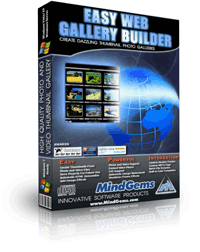
Create quality thumbnails for your image gallery from variety of image and movie formats Easy Web Gallery Builder creates high quality HTML image or video galleries for the web, CD or local viewing. You can check the online demo galleries here. The application will save you a huge amount of time and money by fully automating the gallery creation process without compromising the quality. Once you have tuned the gallery settings according to your preferences the next time you would like to build a gallery it will require just to load the project and add the new images. Different than the common gallery building applications Easy Web Gallery Builder supports all popular image and video formats. It uses advanced algorithms for resizing images and creating thumbnails providing high quality that would otherwise be achieved only by using expensive image processing products. Another advantage of the application that differentiates it from the crowd is that it gives you an unlimited control over the style of the created galleries. Being able to fully customize your projects you will also stand out from the crowd by creating unique high quality galleries that no one can recognize as automatically generated. The application also enables you to integrate existing code from your web site into the generated galleries (menu, header, footer,banners, etc.) in order to fit them better into your web site an overall design. Buying the product you also get free updates and you can suggest features that we will implement in the upcoming versions.

The program is easy to use for anybody, including those, who have no idea of HTML coding and image processing as the code for your gallery will be created automatically. You can save and load your own gallery projects. Besides creating thumbnails the application can resize your images, or convert them between graphic formats. Files can be added from different folders, sorted and their order can be manually adjusted. Many features are also offered for the advanced users, while keeping things simple enough for the beginners. The built-in resampling filters will create quality thumbnails and let you see the result in a real time preview by adjusting the thumbnail quality settings. Other features include the options to change links, text and background colors, font sizes, background image, thumbnail layout and creation of index page, navigation text, document title, etc.

If you like the product, but you have too specific requirements that can not be found in common gallery builder applications, do not hesitate to contact us. We already have clients using custom versions of our products tuned up for their specific needs and we will be glad to help you automate your tasks too.


Easy Web Gallery Builder - Features


  • Create quality thumbnail pages for your image gallery from variety of image and movie formats
  • Create slideshow galleries with transition effects
  • Add customizable drop shadow to the thumbnails
  • Add frames (masks) to the thumbnails and/or images
  • Save and load your own gallery projects
  • Set custom short and long description for each image
  • Add text or image watermark to the images
  • Embed Windows Media Player or custom media player in your video galleries
  • Add custom header and footer to the pages
  • Resize and/or convert your source images
  • Automatically create HTML code for the gallery and image pages
  • Use CSS (Cascading Style Sheets) for page decoration
  • Use build-in color templates
  • Adjust links, text, background and table colors
  • Adjust gallery layout and thumbnail order
  • Adjust document title and encoding
  • Adjust font size and family
  • Set custom META tags
  • Choose between text and image navigation bars
  • Select custom text and/or images for the navigation bar
  • Rotate and/or flip the source images
  • Use flexible output files batch renaming

Supported file formats:

  • *.avi; *.mpg; *.mpeg; *.m2v; *.asf; *.wmv; *.rm; *.ram; *.rmvb; *.mov; *.qt; *.mkv
    Note: Capturing frames from movie files requires at least DirectX 8.1 and appropriate DirectShow codecs to be installed
  • JPEG Bitmap (*.jpg;*.jpeg;*.jpe)
  • Compuserve Bitmap (*.gif)
  • Portable Network Graphics (*.png)
  • TIFF Bitmap (*.tif;*.tiff;*.fax;*.g3n;*.g3f)
  • JPEG2000 Files (*.jp2)
  • JPEG2000 Code Stream (*.j2k;*.jpc;*.j2c)
  • Targa (*.tga;*.targa;*.vda;*.icb;*.vst;*.pix)
  • Paintbrush (*.pcx)
  • Windows Bitmap (*.bmp;*.dib;*.rle)
  • Windows Metafile (*.wmf)
  • Enhanced Windows Metafile (*.emf)
  • Windows Icon (*.ico)
  • Windows Cursor (*.cur)
  • Wireless Bitmap (*.wbmp)
  • Portable Pixmap (*.pxm;*.ppm)
  • Adobe Photoshop (*.psd)

Easy Web Gallery Builder - System Requirements


  • Operating system: Windows Vist/XP/ME/2000/98
  • CPU: Pentium-133 MHz or higher
  • 64 MB RAM
  • 2 MB free hard disk space
  • Hi-Color display and video card (True Color is recommended)
  • Mouse or other pointing device


Hide desktop windows-Anti-Bosskey | Find and delete similar and duplicate images | Create image and picture web galleries and albums
Capture and annotate screenshots | Slideshow screensaver

Terms of Use | Contact Us | Site Feedback | Resources | Free Add Url | RSS Feeds RSS Feeds

Copyright © 2001-2008 Mindgems Inc. All rights reserved